
What did the government cancel, and is it coming back?
Published
You find a solicitation that fits your lane, start sketching your bid, and one morning the notice is marked cancelled. Is the work dead, or coming back under a new notice?
Yes, we can do that. GovInbox at getgovinbox.com keeps the public cancellation reports searchable, and keeps watch on your lanes for new work.
Cancellations are a normal part of federal buying. SAM.gov is a public database doing a hard job, and some of its notices end at cancelled. That is friction, not failure. But it leaves contractors guessing about what happens next.
Two different kinds of "cancelled"
People say "the government cancelled it" about two different things. A cancelled solicitation is pre-award: the agency ended a bid opportunity before awarding anything. A terminated contract is post-award: the agency ended an already-awarded contract early. Grants and leases end early too.
GovInbox covers the terminated side with public reports. It keeps the contracts, grants, and leases that DOGE reported as cut searchable: contracts by agency or vendor, grants by agency or recipient, leases by agency or location. Contract rows link to the award record behind them. Savings figures are as reported, so verify before you treat any figure as final.
Cancelled solicitations are trickier. The public feed from SAM.gov only carries the latest active version of each opportunity, so a cancelled solicitation drops out of the watch, and GSA's API guide still lists a cancelled status filter as coming soon. If one you were tracking disappears, check SAM.gov.
We checked both again on November 4, 2026. The DOGE lists are still public, and the GSA guide has not changed. The DOGE reports cover January through early October 2025.
Why solicitations get cancelled
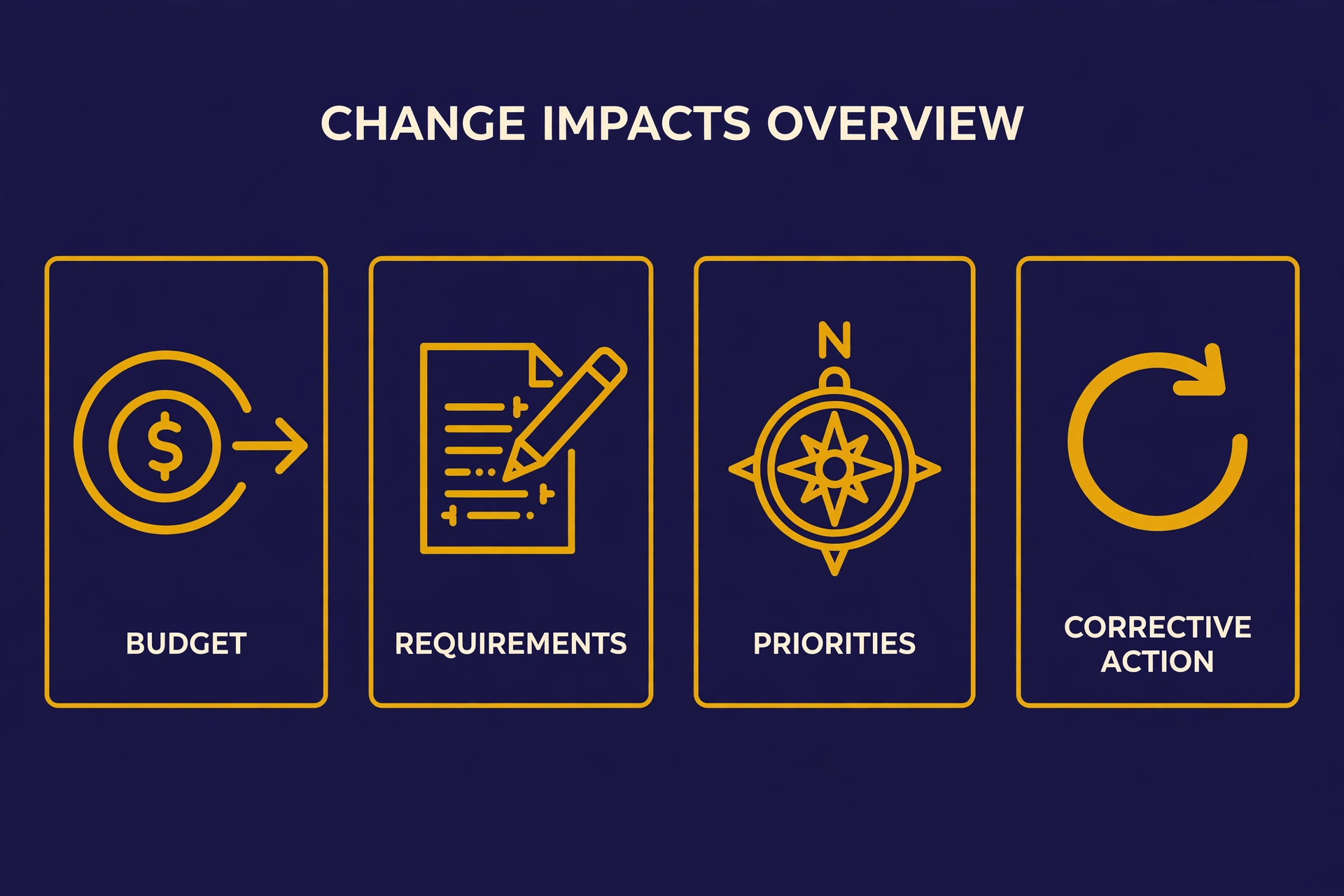
The reasons tend to be ordinary:
- The budget moved. Money shifted to a different program or year.
- The requirements changed. The agency rewrote what it needs, and the old solicitation no longer describes the work.
- Priorities changed. A new mission, a new directive, a new boss.
- Corrective action. The agency hit reset on its own process: cancel, fix, run the competition again.
What is not on the list: the need disappearing forever. Sometimes the work is truly dead. But reasons two, three, and four leave a door open, and when the need still exists, the work sometimes resurfaces.
Is it coming back?
GovInbox tracks active set-aside notices, pulled from SAM.gov every four hours and matched against your programs, NAICS codes, keywords, and states. When the same kind of work comes back as a set-aside solicitation in your lane, it shows up in your digest like any other new notice.
Spotting that it is the same work is a comparison, and that part is yours. Search the open notices for the same agency and trade, and compare the new record against your saved one. A match is a lead, not a guarantee.
Notices also get amended and re-posted. A later post covers how to tell whether a saved notice changed.
What it looks like in practice
These examples are illustrative, not live results:
You: Show me cancelled contracts from the Department of Energy.
GovInbox: Here are the contracts DOGE reported as cut under that agency, newest first, with the vendor, the reported savings, and a link to the award record. The figures are as reported, so verify before treating any of them as final.
You: A solicitation I was watching disappeared. Was it cancelled, and has the work come back?
GovInbox: The feed only carries active notices, so the cancelled one is not in the watch. Check the official SAM.gov record for its status. On the comeback side, a new notice from the same agency looks related: the same service under your NAICS code, and a statement of work that overlaps with your saved record. Read it before you decide.
You: Are there cancelled grants in my space too?
GovInbox: Yes. The same reports cover grants and leases that were cut. Search grants by agency or recipient, leases by agency or location. Same rule: reported figures, so verify first.
Your cancellation watch checklist
- Search what got cancelled. Search the public reports by agency, and by vendor, recipient, or location. For a cancelled solicitation, check SAM.gov.
- Save the record. Keep the official link and your notes, so you can compare if the work returns.
- Watch for the resurface. Search open notices for the same agency and trade, and verify before you bid.
Cancelled is an ending. It is not always the ending.
What did the government cancel, and is it coming back? We can do that. GovInbox at getgovinbox.com.
GovInbox is a private service. We are not SAM.gov, GSA, or any part of the U.S. government. Q&A examples above are illustrative.